
Claude Code Stuck? How to Get Your Project Moving Again Without Starting Over
Claude Code has stopped moving. The spinner is still spinning, the terminal is offering no useful explanation, and your project is sitting halfway between “promising prototype” and “archaeological site”. The natural reaction is to close everything, start a fresh project and hope the second attempt has better manners.
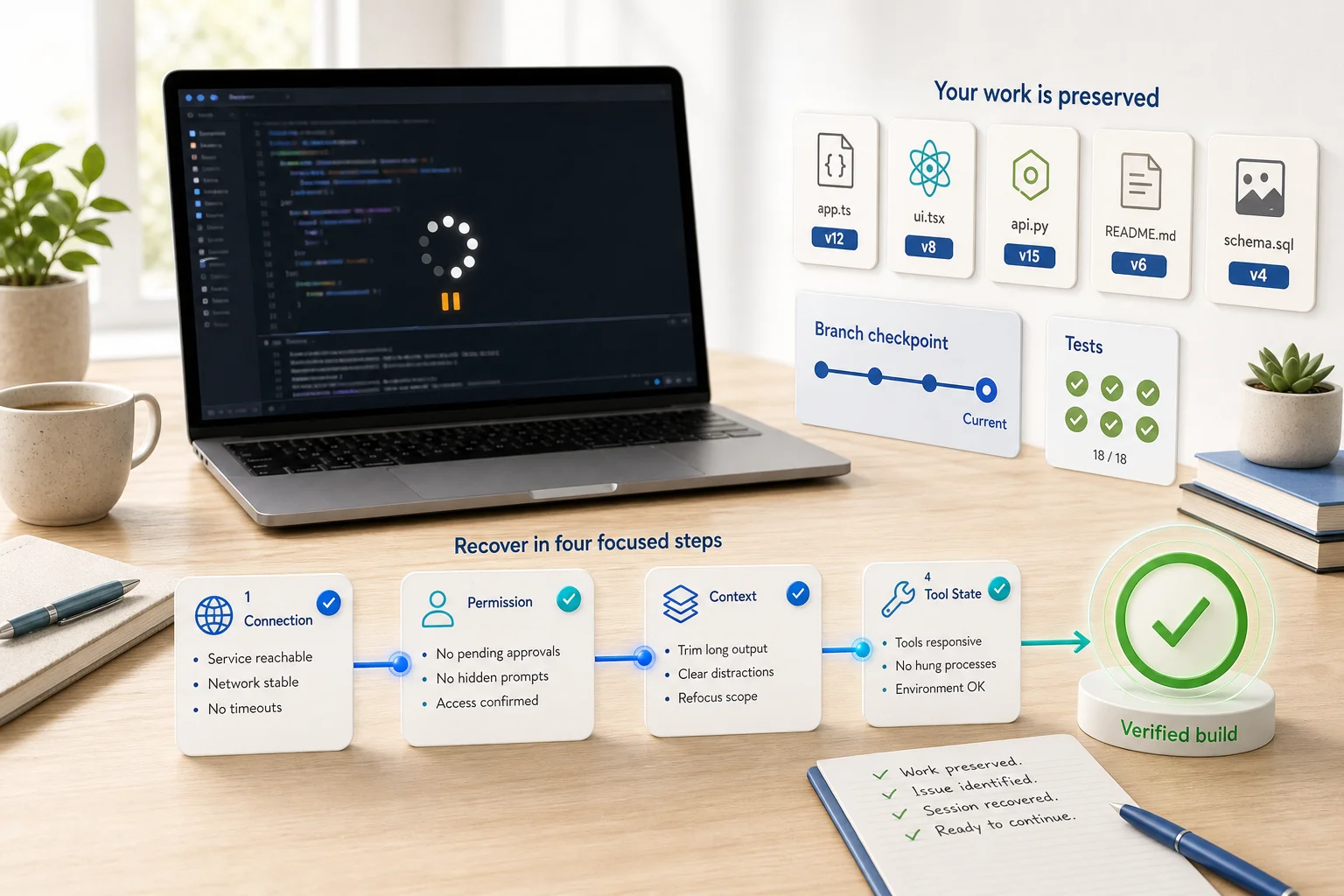
Usually, that is unnecessary. A stuck Claude Code session is not the same thing as a ruined codebase. The important work is already in your files, commits, tests and local history. Your immediate job is to preserve that evidence, identify what kind of stall you are dealing with, and restart the work from a controlled checkpoint.
Here is how to do that without throwing away the useful parts.
First, decide what “stuck” actually means
Several different problems look identical when you are staring at a motionless terminal. Treating them as one problem leads to the traditional technical remedy of restarting random things until morale improves.
1. Claude Code has shown an error
If you can see a timeout, authentication error, overloaded-service message or network failure, begin there. Anthropic’s Claude Code error reference maps common messages to specific checks. It recommends confirming service status, connectivity, authentication and local configuration before changing the project itself.
2. Claude Code is waiting for permission or input
A tool may be waiting for approval, a command may have opened an interactive prompt, or a development server may still be running in the foreground. Read the last visible action carefully. Check for a hidden permission panel, a password request, a confirmation prompt or a command that was never expected to exit.
3. The session is overloaded with context
Claude Code’s context includes the conversation, files, command output, project instructions and tool definitions. Anthropic explains that older tool output is cleared and conversations are compacted as the window fills. Long debugging sessions can still become less focused, particularly when large logs and repeated failed attempts remain in view.
4. The interface or stream has genuinely stalled
Public issue reports describe intermittent sessions that continue showing an active status without producing output. One August 2026 report reproduced silent stalls across more than one backend and several Claude Code versions. That is a user report, not proof that every frozen session has the same cause, but it is a useful reminder: sometimes the problem is the running session rather than your code.
Preserve the project before touching the session
Do not begin by deleting the project directory, removing configuration or asking another AI tool to rebuild the application from a screenshot. That is not recovery. It is a small, avoidable acquisition of technical debt.
Open a second terminal in the project and record the current state:
- Run
git statusto see changed and untracked files. - Use
git diffto inspect modifications that have not been committed. - Note the branch name and latest commit.
- Save any useful error message, failing test output or reproduction steps.
- If the application is running, record the command, port and visible behaviour.
If the project is not yet under version control, make a copy of the directory before experimenting. For an existing repository, a small checkpoint commit may be appropriate once you have reviewed the changes. Do not commit secrets, generated credentials or obviously broken artefacts merely for the ceremony of it.
Interrupt the failed turn, not the whole project
If the interface still accepts input, press Esc to stop the current action. If Claude took a wrong path rather than simply waiting, use the checkpoint controls. Anthropic’s session guidance recommends double-tapping Esc or using /rewind to return to an earlier point and re-prompt from there. This removes the failed conversational branch while preserving useful earlier context.
Then replace a vague instruction such as “carry on” with a bounded one:
Stop. Do not edit files yet. Summarise the current goal, list the files changed in this session, identify the last completed step, and propose the smallest next action.
This turns an uncertain continuation into a state-recovery exercise. It also reveals whether Claude still understands the project or is confidently renovating a different building.
Resume the session instead of starting the build again
If you need to close and relaunch Claude Code, preserve the conversation where possible. The official CLI reference supports claude --continue for the most recent conversation and claude --resume for a specific session.
On resumption, do not immediately request more implementation. Ask for a recovery summary first:
- What was the original acceptance criterion?
- What files changed?
- Which tests passed or failed?
- What remains uncertain?
- What is the next reversible step?
Compare the answer with git diff and the repository itself. Conversation memory is useful; the filesystem is evidence.
Reduce context without discarding the useful work
If the session is long but still coherent, use /compact with a focus. Anthropic suggests steering the summary, for example by naming the feature, constraints and failed approach that must be retained. Use /context to see what is consuming space.
A practical instruction might be:
/compact focus on the authentication fix, the current failing integration test, files changed, and approaches already ruled out
Use /clear only when you are ready to start a new conversation with a written handover. Anthropic describes the difference plainly: compacting asks the model to summarise the existing session, while clearing gives you a clean context that you must seed with the facts worth keeping.
A good handover includes the goal, current behaviour, relevant files, commands already run, test results, constraints and the next intended step. Store durable project rules in CLAUDE.md, not in a heroic 200-message conversation that everyone quietly hopes will remember the important bit.
Check the environment around Claude Code
If the same problem returns, inspect the system around the agent before blaming the application code.
- Run
claude doctorfor read-only installation and settings diagnostics. - Check
status.claude.comfor an active service incident. - Confirm your network, VPN, proxy and authentication state.
- Review recently added hooks, MCP servers and project instructions.
- Try the smallest reproducible request in the same repository.
- Update Claude Code using the supported installation method.
Change one variable at a time. Disabling every integration, rewriting the prompt, upgrading dependencies and changing models simultaneously may produce a working session, but it will not tell you what fixed it. That is troubleshooting by raffle.
Verify the code before moving forward
A recovered session is not proof that the product is healthy. Run the project’s normal checks: formatting, type checking, unit tests, integration tests and a manual smoke test of the affected journey. Inspect database migrations, environment changes and deployment configuration separately.
Then ask Claude Code to work in short, observable increments. Each task should have a clear acceptance test and a sensible stopping point. Ask it to explain unexpected file changes before piling on another feature. Commit verified progress regularly.
This matters especially for AI-built prototypes. A tool can generate a convincing interface while leaving authentication, error handling, data integrity, monitoring and deployment in a less theatrical condition. The visible feature is only part of the product.
When the project needs more than another prompt
If Claude Code repeatedly stalls at the same architectural boundary, cannot explain the existing system, changes unrelated files, or leaves tests in a permanently negotiable state, the problem may no longer be session management. It may be an unclear architecture, fragile integration, missing test coverage or accumulated technical debt.
That does not mean starting over. It means pausing feature work long enough to audit what exists, stabilise the riskiest areas and create a delivery plan grounded in the actual codebase.
Venturist helps founders turn unfinished and AI-built prototypes into secure, reliable, launch-ready products. If your Claude Code project has stopped moving, show us what has been built and we can help you work out what to preserve, what to fix first and how to get it safely over the line.